The Empire tab is your empire's dashboard. It shows where your multipliers come from and where you're about to run out of space.
Name and rank
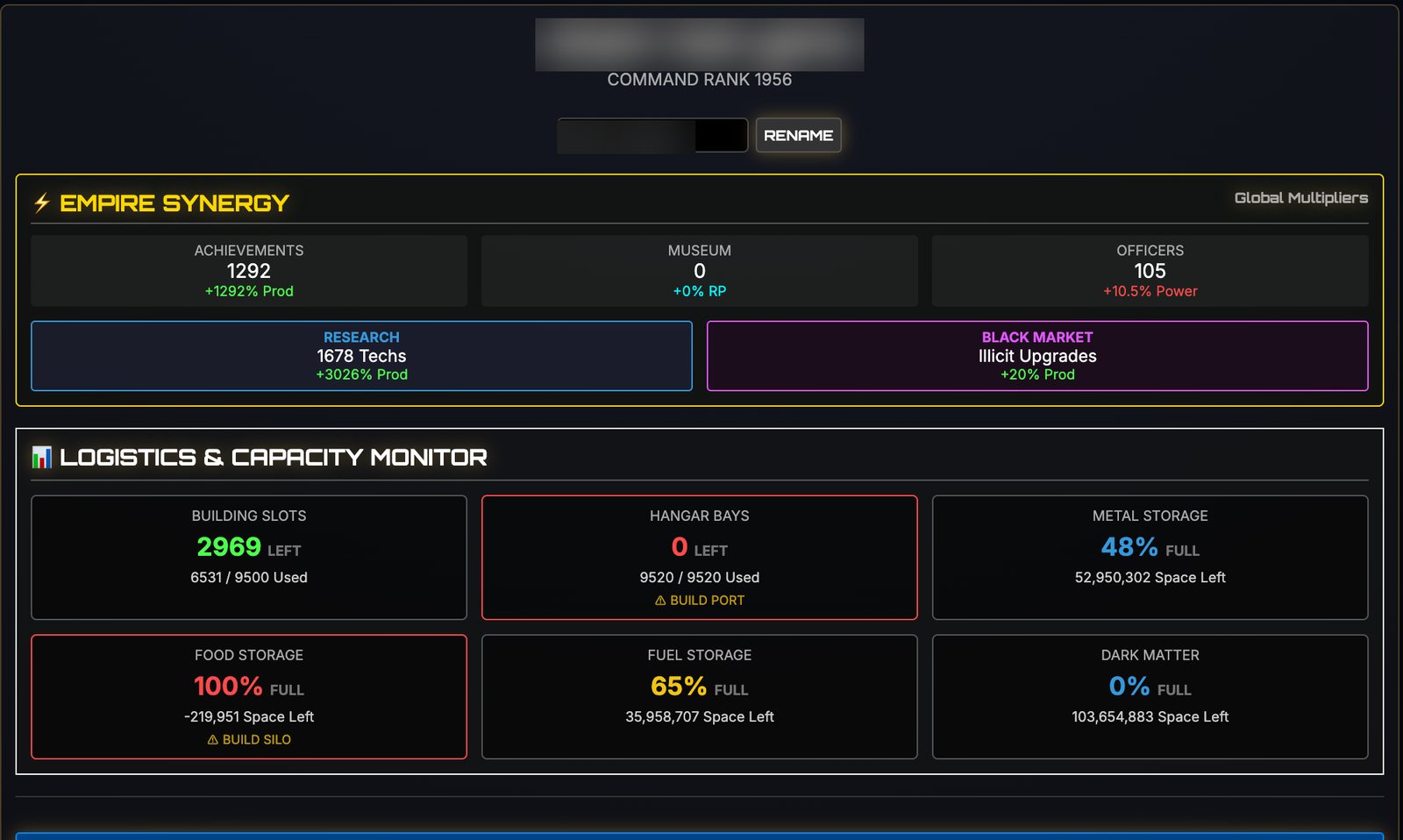
At the top is your empire's name and Command Rank. Type a new name and press Rename to change it.
Empire Synergy
Empire Synergy sums up the global multipliers from five sources:
- Achievements: each award adds production. In the screenshot, 1,292 awards give +1,292% production.
- Museum: exhibits add Research Points.
- Officers: your staff add power.
- Research: every technology adds production. 1,678 techs give +3,026%.
- Black Market: illicit upgrades add production.
This panel explains why late-game numbers get so big: achievements and research stack into enormous multipliers. If you want to grow faster, look here for the weakest source.
The Logistics & Capacity Monitor
This panel shows where you're about to hit a limit:
- Building slots: how many are left. Build Factories when they run low.
- Hangar bays: ship capacity. At zero, it says Build Port.
- Metal, Food, Fuel and Dark Matter storage: how full each store is. At 100%, it says Build Silo.
A red box is a warning that production is being wasted.
Signal Fleet Recall
If ships ever get stuck on a mission, Signal Fleet Recall (Unstuck Ships) brings them home.
Visual interface
Choose a colour scheme for the whole game: Standard, Cyber Green, Mars Red, Royal Gold or Void Purple.
Quit and reset
The bottom of the tab has Quit Game and the emergency reset. A reset wipes your progress, so don't press it by accident.
The Vanguard Expanse 4065 is out now on Steam.